
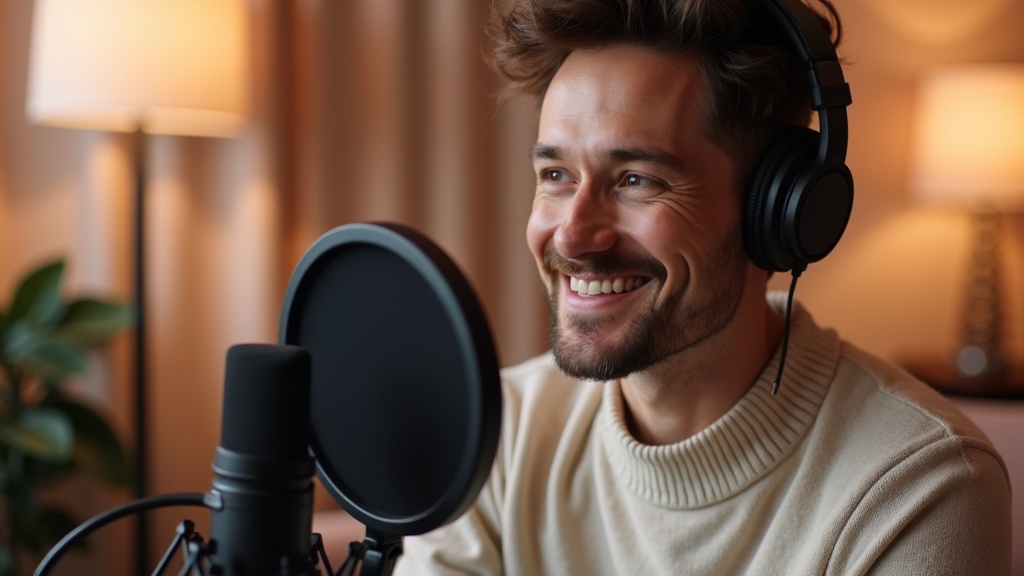
You can now be the host of your own podcast reels without ever sitting in front of a camera. Upload three photos of your face once, record about 30 seconds of your voice, and MakePodcast builds a reusable version of you that presents every clip you make from then on. The studio, the crew, the lighting, and the reshoots are gone. Your face and your voice stay in the system, and each new reel takes minutes.
That is the whole shift: you stop renting a studio by the hour and start owning one that lives inside your computer.
TL;DR:
- Photograph once, present forever. Three photos build a reusable AI host. Every future reel reuses it, so you never shoot again.
- Your voice too. Record about 30 seconds and MakePodcast clones it, so clips sound like you, not a stock narrator.
- Minutes, not days. A new branded reel goes from idea to published without booking a studio or an editor.
- Included from the first purchase. Any plan, or the $1 first video, unlocks it. Your likeness and voice stay yours.
What does it mean to be your own AI podcast host?
It means the person on screen presenting your reels is you, generated from a saved version of your face and voice instead of a live recording. You build the host one time. After that, you write a script, pick your host, and MakePodcast produces a short branded clip with you delivering it. No new footage is needed for each video.
The old way had a fixed cost every single time: travel to a studio, set up a camera and a mic, get the lighting right, record, then hand it to an editor and wait. The new way front-loads the setup into one session and makes every clip after it nearly free in time and effort.
How does it actually work?
Three steps, and only the first one happens once.
- Build your host. Upload three photos of your face: front, at an angle, and from the side. MakePodcast turns them into a consistent character that stays the same across every scene, outfit, and background.
- Clone your voice. Record about 15 to 45 seconds once, or upload a clean sample. Every reel you make can then speak in your cloned voice.
- Generate reels on demand. Write a script, choose your host and voice, and get a finished clip in minutes. Change the background or outfit whenever you want without reshooting.
How much does this save a business?
The real saving is not one cheaper video. It is removing the setup cost from every video you will ever make. A single studio session with a videographer runs from hundreds to thousands, plus half a day of your time and a wait for edits. Multiply that by the pace social platforms actually reward, several posts a week, and a normal content calendar becomes a budget line most small teams cannot justify.
Here is the same job, both ways.
| Studio + crew | AI podcast host | |
|---|---|---|
| Cost per session | Hundreds to thousands | The cost of a clip |
| Time to a finished clip | Days (shoot, edit, wait) | Minutes |
| Setup repeated each time | Yes, every shoot | No, built once |
| Look stays consistent | Depends on the shoot | Identical every time |
| Languages | Reshoot per language | 70+ from one script |
The point is not that AI is a little cheaper. It is that the marginal cost of your next reel drops to almost nothing, so posting consistently stops being a production problem and becomes a writing problem.
Who gets the most out of it?
The people for whom "book a studio" was always the blocker.
- Consultants and coaches who need a steady face on camera but bill their hours elsewhere.
- Small businesses and solo founders with no production team and no budget for one.
- Agencies producing branded short-form for clients who want volume and a consistent look.
- Anyone selling expertise who knows short video works but hates the friction of filming.
If your face is part of your brand and filming is the reason you post less than you should, this removes the reason.
What does the output look like?
A short, branded podcast reel of up to 90 seconds, with your host presenting your script. It is built for the feed: vertical, captioned, ready for TikTok, Instagram, YouTube, LinkedIn, and the rest. Here is a finished clip generated this way.
Once your host exists, this is the entire loop: write, pick, generate, post. You can run it from your desk between meetings, which is exactly the point. What you still owe the show is a shape, because a one-host format has no co-host to supply structure; the solo podcast format guide covers the five that hold up and the word budget for each. To see the plans that include it, check MakePodcast pricing, or read how teams use short clips in 7 ways to grow your business with an AI podcast.
Is it really you, and who controls it?
Yes. The host is built from your own photos and your own voice, and it is tied to your account. Creating a character requires your explicit consent, and only you can use your likeness and voice. Nothing about being your own host means handing your face to anyone else. It means keeping it, and reusing it, on your terms.
FAQ
How many photos do I need to build my host?
Three: your face from the front, at an angle, and from the side. That is enough for MakePodcast to keep your character consistent across different scenes, outfits, and backgrounds.
Do I have to record my voice, or can I upload one?
Either. Record about 15 to 45 seconds directly, or upload a clean sample. After that, every reel can speak in your cloned voice.
How long does a new reel take once my host is built?
Minutes. The one-time setup is building the host and voice. After that, a script becomes a finished clip without any new filming.
Do I need a studio, camera, or editor?
No. That is the entire idea. The setup, the recording, and the editing all happen inside MakePodcast, so you never leave your desk.
Who can use the feature?
Anyone who has made a purchase: any plan, or the $1 first video. Your likeness and voice stay yours, and consent is required to build a character.
Building your host takes one short session. Every reel after it takes minutes. Start on the MakePodcast homepage and photograph yourself into a studio that never closes.